
Meetings and virtual classrooms that help people stay engaged.
High-quality video conferencing, live collaboration, AI assistance, meeting intelligence and engagement analytics — all in one connected workspace.
Room brings together the tools teams, educators and organisations need to meet, teach, collaborate and understand what happens during a session.
A meeting can be online without everyone being present.
Modern organisations rely on virtual meetings, classrooms, training sessions and workshops every day. But being connected does not always mean being engaged. Participants can become distracted, important decisions can be missed, and action items can disappear after the meeting ends.
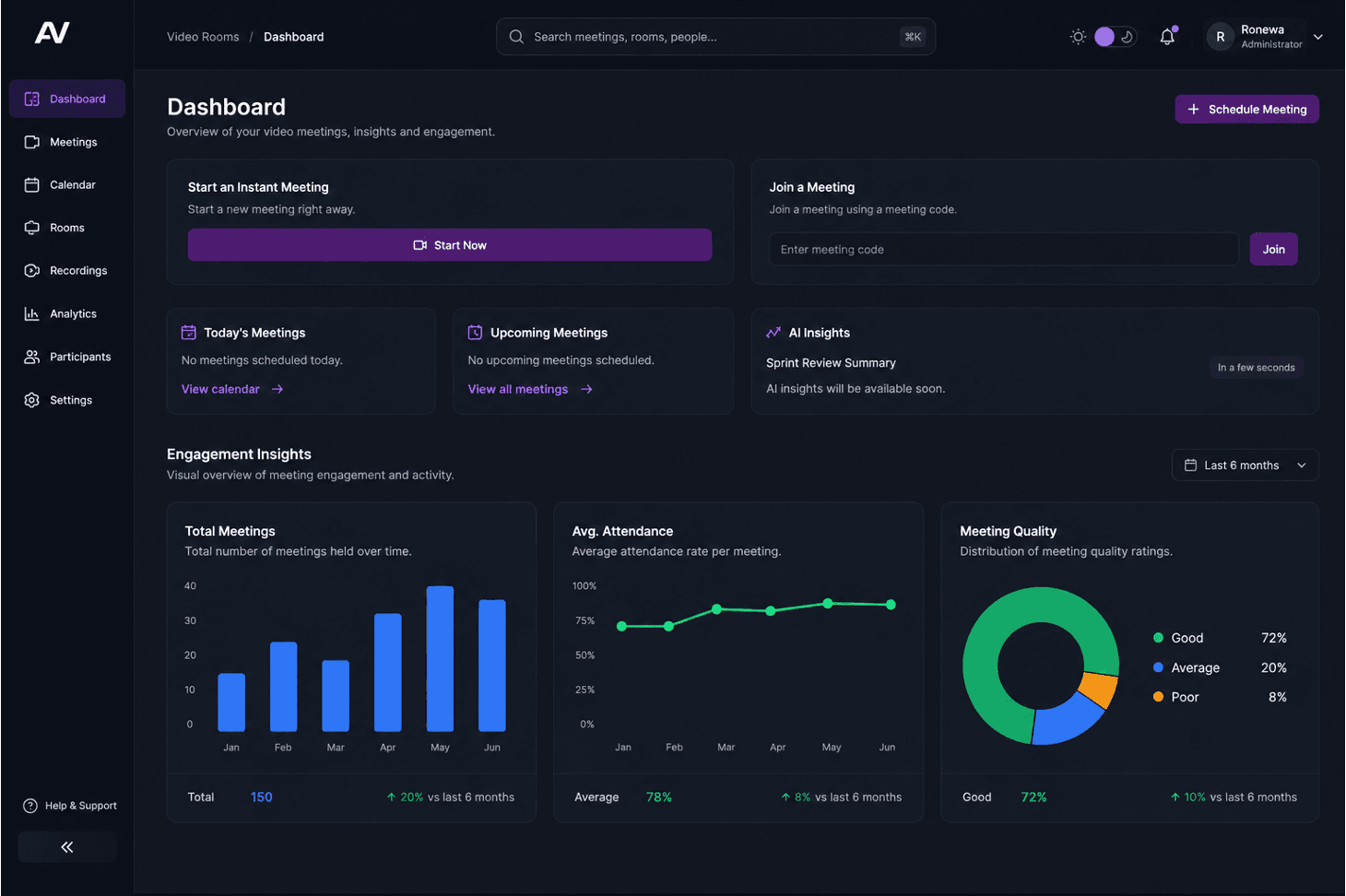
Room combines video conferencing, collaboration tools, AI assistance and engagement analytics to help organisations understand not just who joined, but what happened during the session.
Host meetings and virtual classrooms with screen sharing, chat, whiteboards, breakout rooms, polls and recording. At the same time, live transcription makes conversations searchable, AI provides context-aware assistance, automated summaries capture key decisions and actions, and engagement analytics provide visibility into attendance, interaction and participant focus.
Connect people. Capture knowledge. Understand engagement.

Everything you need to meet, teach and collaborate.
Connect your team, wherever they are. Room brings video, collaboration, AI assistance and engagement insight into one connected workspace.
Try Room FreeHigh-quality video and audio
HD video and audio designed to stay clear across different network conditions, with adaptive layouts and host controls.
Adaptive to your connection
Screen sharing and collaboration
Bring the work into the room with screen sharing, collaborative whiteboards, file sharing and in-meeting chat.
A shared workspace, not just a call
Breakout rooms and interactive learning
Split large sessions into smaller groups with breakout rooms, polls, Q&A and hand raising.
Built for classrooms and workshops
AI assistant, live in the room
Ask questions during the session and get context-aware answers, summaries and next steps without leaving the meeting.
Available while the meeting runs
Transcripts and summaries
Every session becomes a searchable transcript with an automated summary of decisions and action items.
Searchable after the meeting ends
Engagement analytics
See attendance, participation and interaction patterns — not just who joined the call.
More than attendance
Everything you expect from a modern meeting platform.
Room is designed to support a wide range of meeting and collaboration requirements.
Meeting controls
- Host and co-host controls
- Participant management
- Waiting rooms
- Meeting access controls
- Participant permissions
- Mute controls
- Remove participants
- Lock meetings
Collaboration
- Screen sharing
- Whiteboards
- Chat
- File sharing
- Reactions
- Polls
- Q&A
- Breakout rooms
Communication
- Video meetings
- Audio meetings
- In-meeting messaging
- Direct and group communication where enabled
- Notifications
Administration
- User management
- Role-based permissions
- Organisation controls
- Meeting policies
- Usage reporting
- Administrative controls
Why organisations use Room.
From five-person team meetings to university lectures, Room is built to keep every kind of session useful after it ends.
More than attendance
Understand not only who joined a session, but how participants interacted with it.
Keep knowledge from disappearing
Transform conversations into transcripts, summaries, recordings and searchable meeting records.
Help participants stay aligned
Use AI-generated summaries, action items and contextual assistance to keep teams focused on what matters.
Improve learning outcomes
Give educators additional tools for virtual teaching, lecture capture, interactive learning and understanding student engagement.
Reduce meeting fatigue
Make it easier for participants to catch up, find important information and understand next steps without replaying an entire meeting.
One platform for collaboration
Bring video conferencing, chat, screen sharing, whiteboards, breakout rooms, AI assistance and engagement analytics into one connected experience.
Built for different environments
Use Room for a five-person team meeting, a university lecture, a corporate training session or a large client workshop.
A new way to meet, teach & collaborate.
Great meetings are about more than connecting people. Room helps teams teach, collaborate, share ideas and stay engaged — all from one virtual workspace.
Watch a short walkthrough to see how Room brings together high-quality video and audio, screen sharing, collaboration tools, live transcription, AI assistance and engagement insights in one meeting experience.
Start your next meeting with Room.
Experience video conferencing with built-in AI assistance, collaboration tools and engagement insights.